

- Find recurring failures and regressions.
- Track cost and latency drift in recurring LLM calls.
- Discover recurring successes and emerging use cases.
- Give a coding agent the evidence it needs to implement a fix.
How discovery works
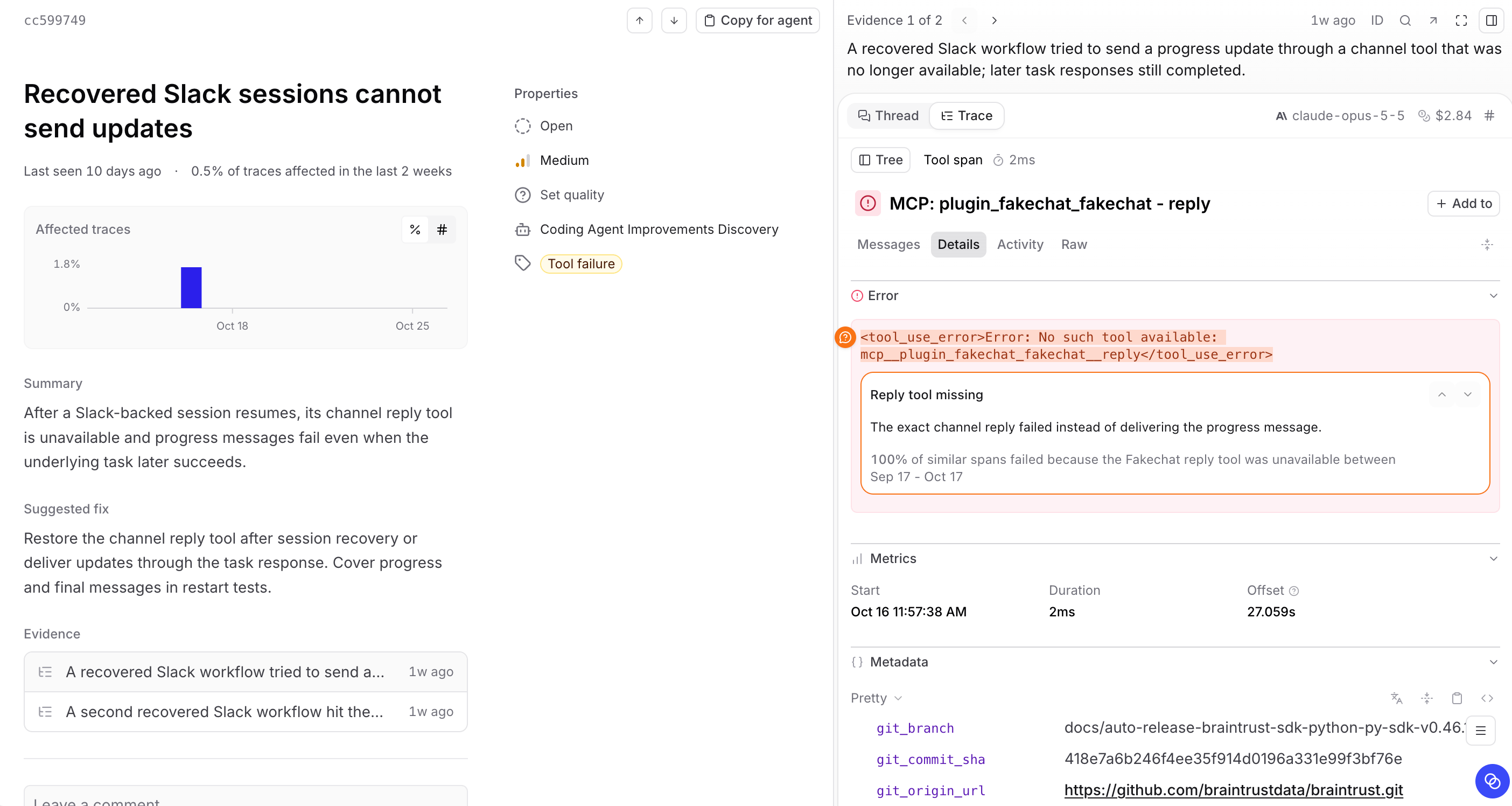
Patterns runs as a scheduled Loop automation. You can also ask Loop to find patterns in an interactive thread. They appear in the same list.Goals
Each run has three goals:- Discover new patterns. Following your instructions, Loop samples traces randomly from the start, middle, and end of the query range, and examines each tool’s output separately to catch rarely used tools. It also looks for failures that tools return in their output without setting
error. Loop investigates candidates and saves findings with supporting evidence. A run can find nothing new. - Refresh existing patterns. Loop updates evidence and affected-trace measurements and rechecks unmeasured patterns against recent similar traces. It updates wording when the finding changes or rewrites it once to follow revised writing guidance, preserving the finding’s meaning and stored evidence.
- Close patterns that have stopped. Loop closes an active pattern when the behavior hasn’t occurred in the previous two weekdays, including in similar traces its filter might miss. The quality and reasons you give when closing a pattern guide later findings.
Verification
Before saving or closing a pattern, Loop checks its work:- Explanatory factors: Loop compares groups of traces by attributes such as model, agent settings, integrations, or experiment variant, and reports the comparison in the pattern’s summary. A difference doesn’t prove a cause.
- Source code and requirements: Before saving a new pattern, Loop reviews the finding against the relevant code in a connected repository and checks requirements from an external MCP server. The review can confirm, reword, or drop the finding, and Loop saves cited code as the pattern’s Sources. Without source access, the finding labels unconfirmed causes as hypotheses.
- Uncertain results: Missing data or a failed query isn’t evidence. When Loop can’t confirm something, it keeps the pattern’s status and reports what it couldn’t check.
Requirements
- Traces. Traces logged to your project.
- Model access. Braintrust’s built-in models use your monthly model credits and need no setup if you meet the requirements. To use your own key or continue after credits run out, configure a compatible AI provider.
- Project permissions. Enabling Patterns requires permission to create project automations, included in the Owners and Engineers permission groups. Anyone who can read the project’s logs can read patterns. Closing and reopening a pattern, correcting its severity or categories, and backfilling missing severity also require the project’s
Updatepermission. - Self-hosted deployments. Data plane v2.13 or later and an enabled Loop runtime, which is available only on AWS.
Patterns and Topics
Topics classifies and clusters traces so you can filter and chart them by user intent, sentiment, or issue. Patterns investigates findings in depth. Neither requires the other.
Topics runs as a separate, low-cost pipeline on Braintrust-served models, regardless of your Loop model selection.
Loop can use topic classifications, scores, and human feedback in its investigations. It can also turn a pattern into a facet, scorer, classifier, or monitor to measure the behavior continuously at lower cost. See Act on a pattern.
Next steps
- Enable Patterns and configure how often Loop looks for them.
- Review and act on patterns once the first run finishes.
- Discover insights with Topics to classify your traces at a broader scale.
- Run Loop on a schedule for recurring analysis beyond pattern discovery.