

Run an eval
Turn the pattern you chose into an eval to check whether a fix resolves the problem and preserves successful behavior:1
Create the eval
Open the pattern you want to fix, select Investigate > Copy as prompt to copy a Markdown brief with the finding, supporting evidence, suggested fix, and commands for retrieving the full traces.Give the brief to your coding agent, then ask it to create a dataset, a scorer, and an eval that runs your app:Your coding agent will choose a code scorer or an LLM judge. If the scorer needs a model, your agent will check access and guide you through adding a provider key in Braintrust if needed.
2
Run the baseline
Run the eval to measure your app’s behavior before the fix. Braintrust saves the outputs, traces, and scores together as a baseline experiment, which you’ll compare with the fixed version.Ask your coding agent to run the eval before changing the app:The eval runs your app’s code, so it makes the same model calls your app does and incurs the same model costs.
3
Inspect the baseline
Go to Experiments and open the baseline experiment your coding agent created. Inspect a few failing cases. If the eval doesn’t reproduce the problem, check the inputs, scorer, and new traces with Loop or your coding agent before proceeding.
Fix the cause and rerun
Once you have a baseline, ask your coding agent to implement the fix:Compare the results
Go to Experiments and open the experiment from your fixed code. Select the baseline in Comparisons to see which cases improved or regressed and how cost and latency changed.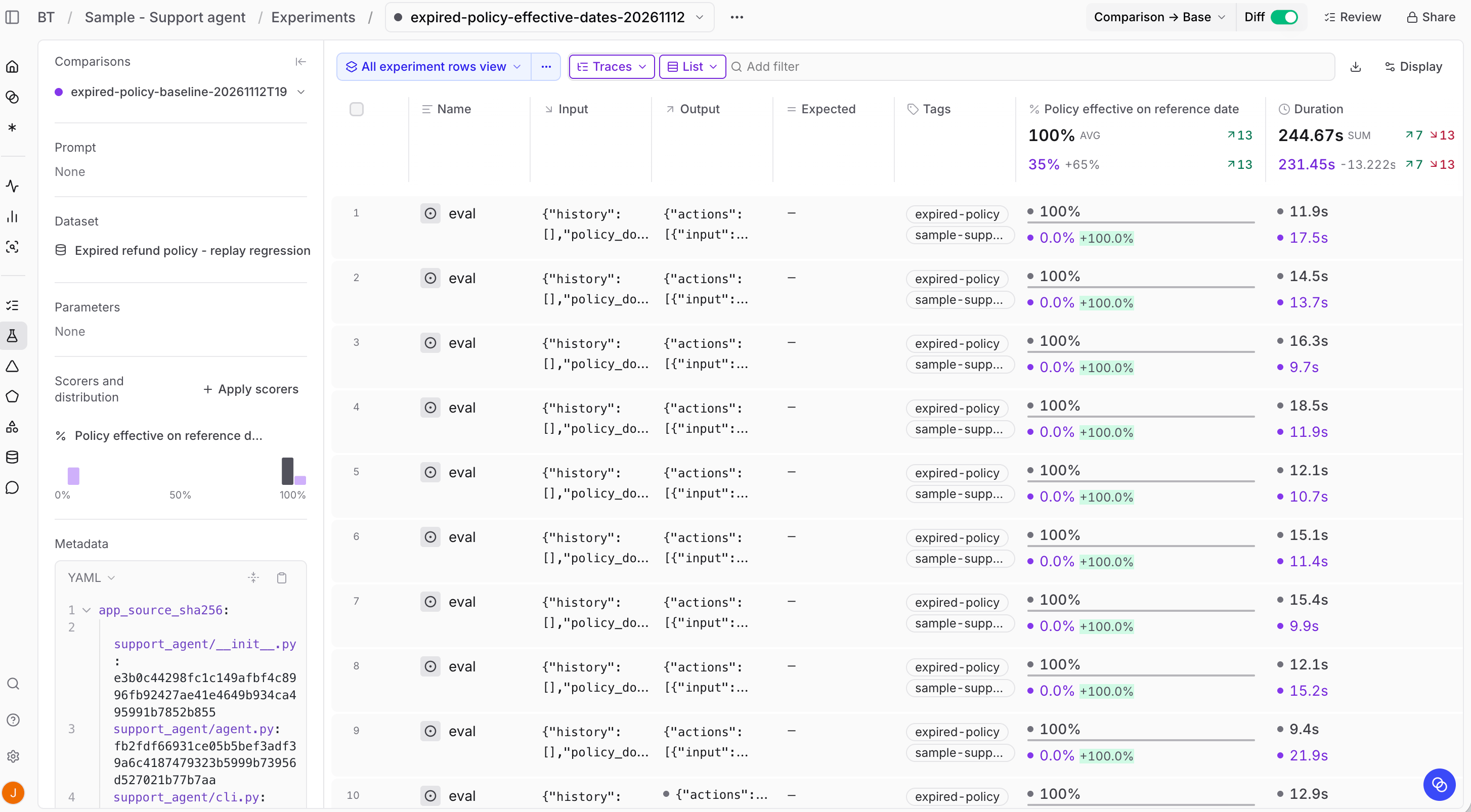
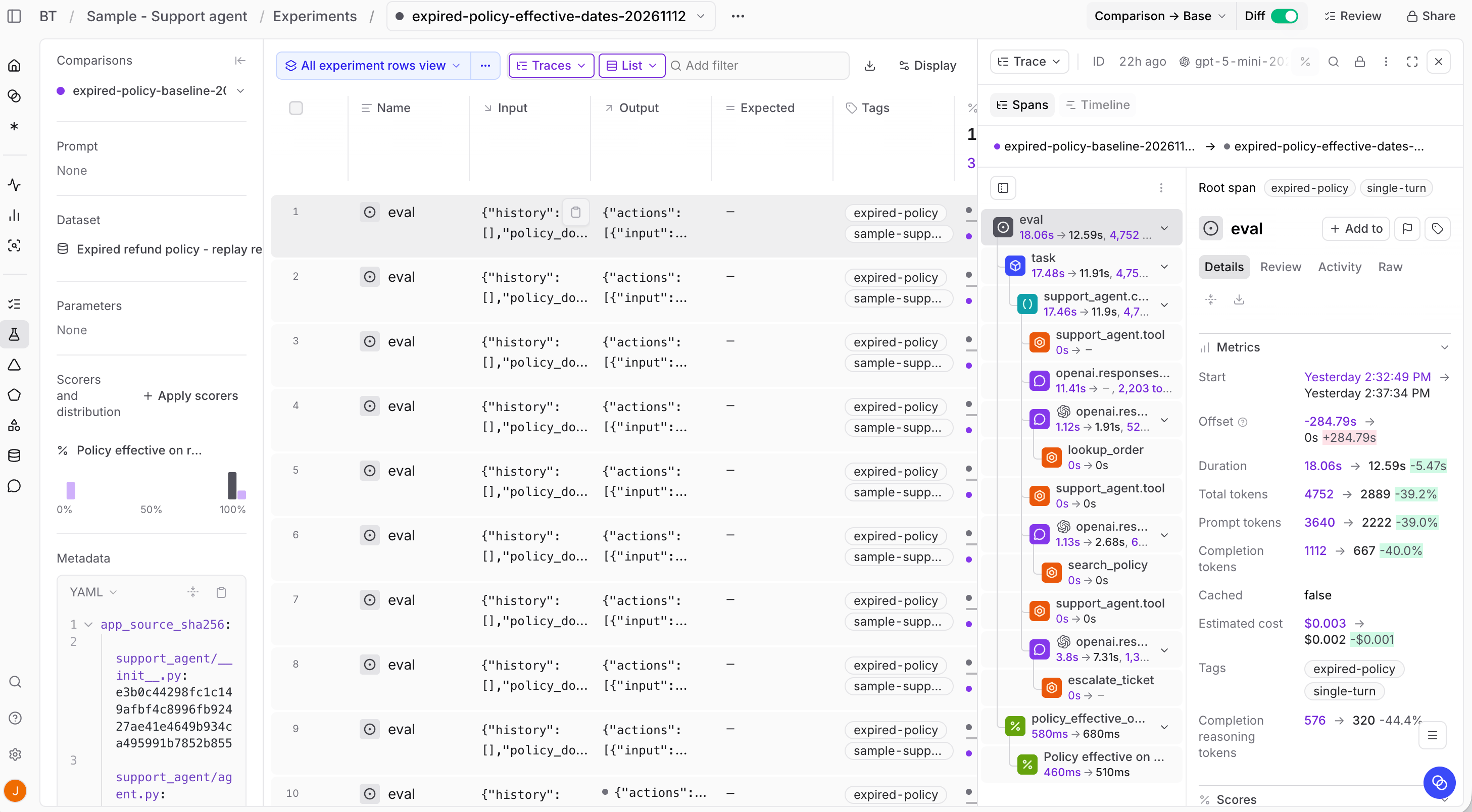
If the new experiment scores better than the baseline and no test cases regress on the checks you ran, the change improved performance on this dataset.
Deploy the fix
Once you’ve verified the improvement and checked for regressions, deploy the fix through your usual release process. Then monitor production traces to check whether the improvement holds on new requests. To test future changes before they’re deployed, run this eval in CI.Troubleshoot
Agent can't retrieve the traces?
Agent can't retrieve the traces?
The brief’s commands use the
bt CLI, so your agent needs bt installed and signed in to run them. An agent connected only through MCP can retrieve the same traces with its MCP tools instead. See Connect to Braintrust.Eval can't call the app code?
Eval can't call the app code?
The eval needs to call the part of your app that produced the traces, such as a function that takes a request and returns a response. If that code is tied to a web server or a UI, ask your agent to move the logic into a function that both your app and the eval can call.
Need help?
Need help?
- Join our Discord
- Email us at support@braintrust.dev
- Use the Loop agent in the Braintrust UI
Next steps
Strengthen your evals
Make the eval you’ll keep rerunning more reliable with Braintrust’s eval skills for building representative datasets, validating scorers, and analyzing results.
Catch regressions with online scoring
Monitor the behavior you fixed on new requests.