

Score production traces
Online scoring evaluates new traces as your app runs, helping you catch problems your test cases missed and detect regressions. It runs in the background without adding latency to your app. Use the scorer from your eval to watch for the problem you fixed.-
Ask Loop or your coding agent to validate the scorer and create an online scoring rule:
Run in Loop Production traces usually lack expected outputs. If your eval scorer requires them, your agent will create and test a separate version that uses the evidence in the trace.
-
Open the rule in Settings > Online scoring and review its settings:
- Scope: Use Trace when the scorer needs the whole request, or Span for an individual LLM or tool call. For conversations across multiple traces, see Group scope.
- Filter: Limit scoring to identifiable test requests relevant to this problem.
- Sampling rate: Use 100% so every matching test request is selected for scoring.
- Use Test automation to check scores on a failing and a successful trace.
-
Turn on Enabled and generate a few requests that match the test filter. Open their traces in Logs to inspect the scores. For Trace scope, allow for the idle timeout, 30 seconds by default, and scorer execution.
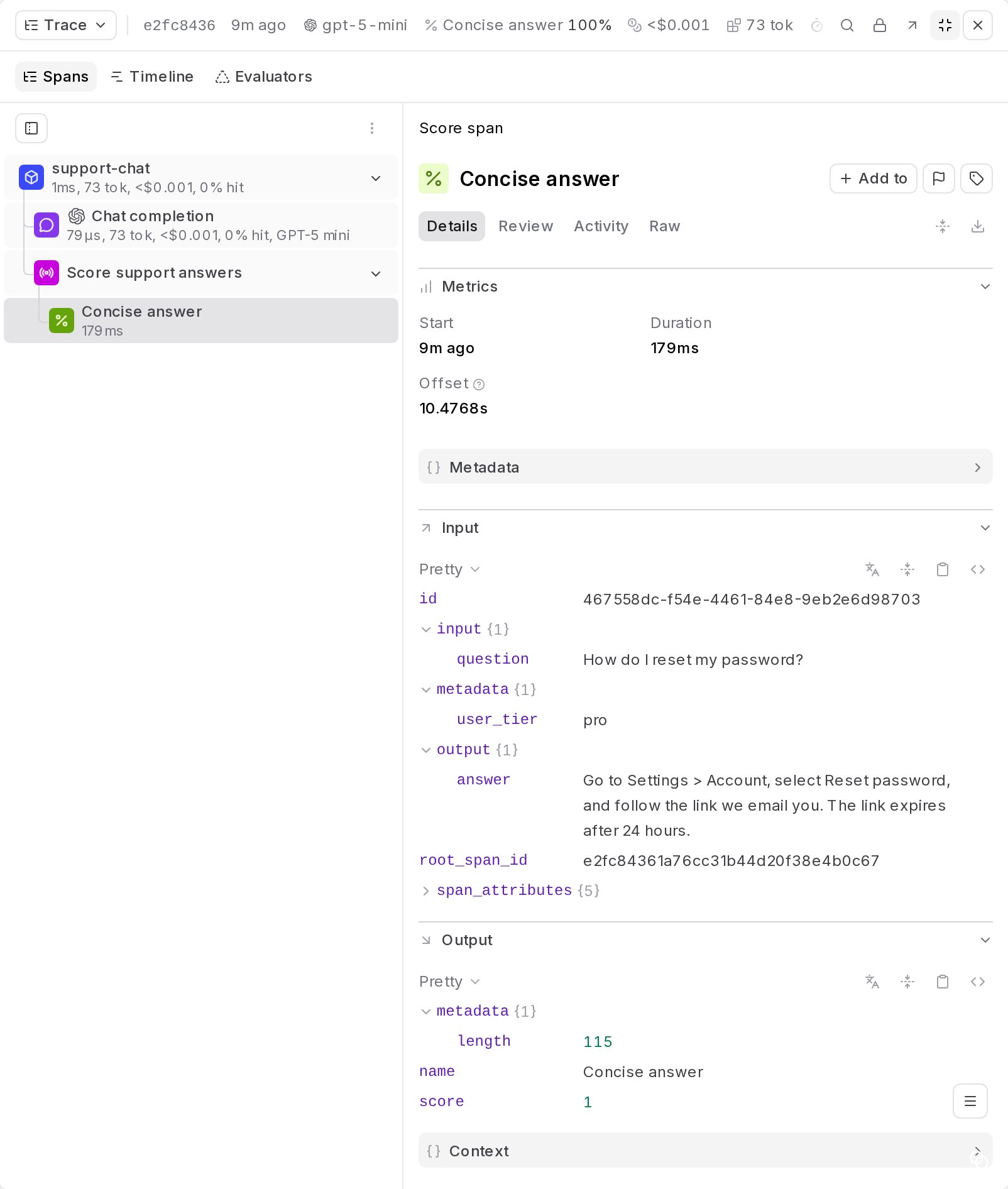
- Once scoring works, update the filter to cover production requests relevant to this problem and choose a sampling rate that fits your traffic and budget. Start with 10% for higher-volume traffic. LLM judges make model calls for each scored request.
Get alerted when scores drop
Alerts notify your team when scores suggest the problem may be returning.-
Ask Loop or your coding agent to recommend alert settings and create the alert:
Run in Loop
- Follow the delivery test steps and confirm that the notification reaches the selected Slack channel. To configure the alert yourself, see Create a time window alert.
Troubleshoot
Scores haven't appeared?
Scores haven't appeared?
Confirm that the rule is enabled and the new requests match its filter. At sampling rates below 100%, some requests won’t receive a score. For testing, use 100% sampling with a filter limited to your test traffic.A trace-scoped rule waits until the trace has been idle for its Idle timeout, 30 seconds by default, before running the scorer. Allow time for the scorer to finish, then check rule activity for errors.
Next steps
Use new scores and traces to check whether the problem declines. As Patterns finds other issues, add new failures to your dataset and repeat the workflow to strengthen your tests and monitoring.Explore more capabilities
Choose what to try next with Loop, playgrounds, human review, and more.